

Description
Olympia Logo Creation 1.7.7.55 is a powerful logo-design tool that helps users create unique, memorable, and professional logos for businesses, personal brands, products, and organizations. With thousands of templates, full customization options, vector-based reliability, and easy-to-use tools, it enables users to build a distinctive visual identity quickly and effectively.
Program Features and Functions
Create logos with complete simplicity
Design logos easily with minimal effort, ideal for creating one or multiple designs.
Ready-made templates
Thousands of professional templates included to speed up the design process.
Import personal content
Add personal photos, images, and text to logo designs.
Ease of use
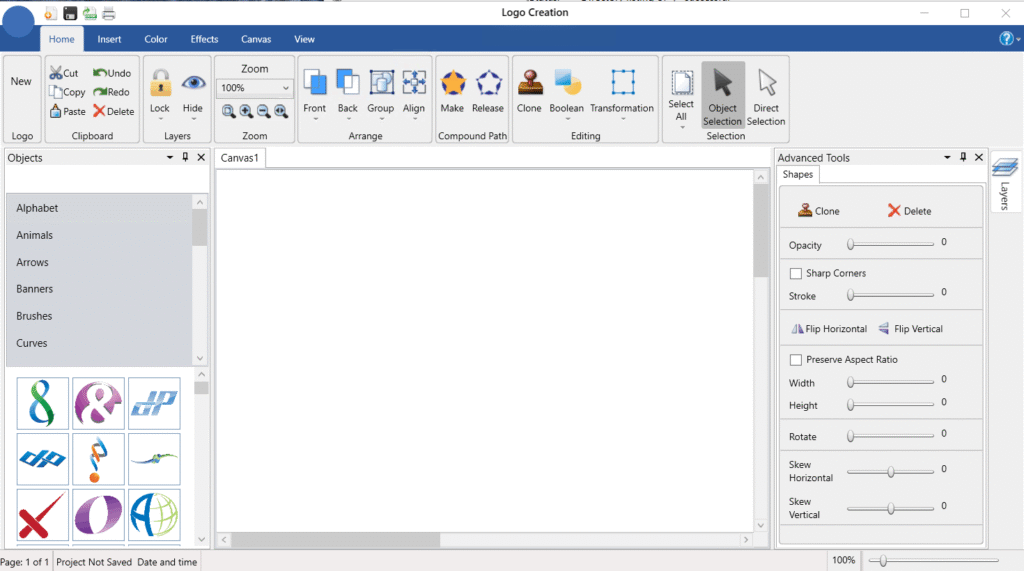
User-friendly interface designed for quick learning and smooth workflow.
Suitable for a wide range of users
Businesses, startups, teams, organizations, product branding, and logo redesigns.
Professional logo design tools
Start from scratch or edit any template to create unique and polished designs.
Complete customization
Change colors, fonts, shapes, and graphic elements for a personalized final result.
Full ownership
Users gain complete ownership of all created designs.
Vector graphics reliability
Logos remain sharp at any scale; no pixelation or blur when zoomed.
Scalability
Logos can be resized to any dimension without losing quality or clarity.
Use in any environment
Suitable for web images, product labels, posters, banners, and large billboards.
Multiple export formats
Provides export options in various file formats for professional use.
System Requirements
Operating System: Windows 11 / Windows 10 / Windows 8.1 / Windows 7
Processor: Multicore Intel series or higher, Xeon, or AMD equivalent
RAM: 4 GB (8 GB or more recommended)
Free Disk Space: 4 GB or more recommended
Installation Guide and Tips
It is included in the Readme file.
Description
Olympia Logo Creation is a powerful tool for creating a logo for your business, personal brand, or event. A good logo should be unique, simple, and easy to remember, as it is the visual representation of your company or business, and in fact, its identity . A logo helps create a deep and lasting connection with users and audiences. Since a business will be committed to its logo for a long time, it is smart to use the advanced tools of this software to ensure the correct and distinctive design from the very beginning. The goal of this program is to help users create a distinctive and memorable brand .
Program features and functions
- Create logos with complete simplicity: This software allows users to design their logos easily and with minimal hassle. This is the ideal solution for creating one or more logos.
- Ready-made templates: Includes thousands of ready-to-use templates that speed up the design process.
- Import personal content: Users can add their own photos, images, and text to the design.
- Ease of use: Its user interface is designed to be very easy to use.
- Suitable for a wide range of users and purposes:
- Everyone who needs a professional logo.
- Startups, teams, companies, groups, and various organizations.
- Creating visual identity for products (ability to create multiple logos).
- Redesigning and updating old and existing logos.
- Small businesses looking for a new, updated look.
- Startups looking for a great and flawless visual identity.
- Great tool for designing your logo: Users can start designing from scratch or modify any of the professionally designed logo templates to suit their taste and needs and turn them into a unique design.
- Complete customization: This program provides the ability to change colors, fonts, graphic elements, and more to achieve the ideal and satisfying logo for the user.
- Full ownership: By using this software, the user gains full ownership of all created works.
- Vector graphics reliability: Thanks to the unique vector tools and built-in graphics, the designed logo will never become blurry or pixelated when zoomed in.
- Scalability: This feature allows users to scale their logo to any size without losing its clarity or transparency.
- Use in any environment: From web images and billboards to full-size billboards, your logo will look perfect in any size and location.
- Output in various formats: This software provides users with the ability to output in various formats.
System requirements
- Operating System: Windows 11 / Windows 10 / Windows 8.1 / Windows 7
- Processor: Multicore Intel series or higher, Xeon, or AMD equivalent
- RAM: 4 GB (8 GB or more recommended)
- Free Disk Space: 4 GB or more recommended
Installation Guide and Tips
It is included in the Readme file.
File Size: 788 MB